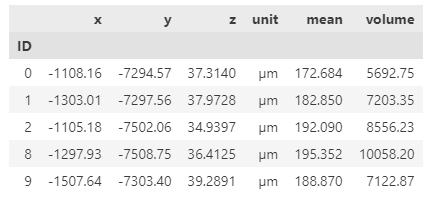
本文介绍如何批量提取从 imaris 导出的统计数据并进行整理。
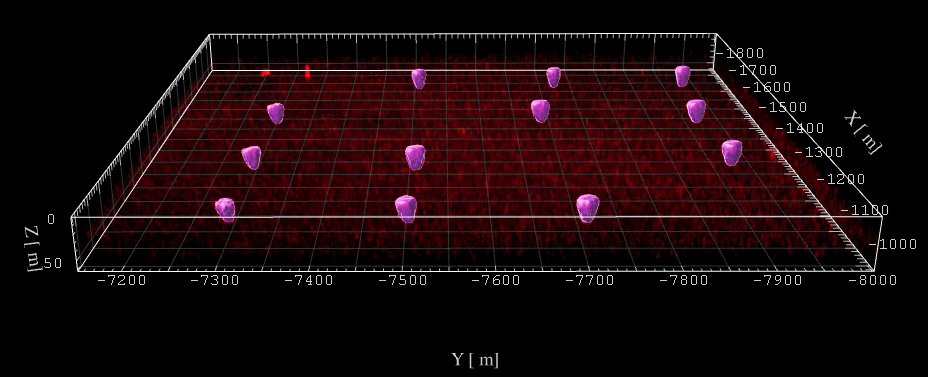
如上图所示,在 imaris 中为感兴趣的颗粒结构创建了 surface之后,可以 Export All Statistics,此时会生成大量的 csv 表格文件,如果能够批量提取和汇总感兴趣的统计指标,就会方便很多。
此处,我希望提取关于每个颗粒的如下几个属性:
-
质心坐标(x,y,z)
-
平均信号强度
-
颗粒所占体积
通过查看每个表格中的内容,可以知道,ID,每个颗粒都是唯一的,可以以此将不同属性整合起来。然后上述三个指标,都有清楚的字符串可以匹配。那么就可以通过以下代码来收集和整合信息:
from glob import globimport pandas as pd
def collect_surface_basic_attributes(name): '''Get Basic Attributes from Imaris Surface Statistics Detailed Results name: the string input when Export All Statistics to File in Imaris, resulting a `{name}_Statistics` folder The location (x, y, z) of mass centroid, the mean intensity and the volume of the surface object would be collected. ''' # 整理数据表格文件路径 fps1 = glob(f"{name}_Statistics/{name}_Center_of_Image_Mass_*.csv") fps2 = glob(f"{name}_Statistics/{name}_Intensity_Mean_*.csv") fps3 = glob(f"{name}_Statistics/{name}_Volume*.csv") fps = {"locs": fps1[0], "intensity": fps2[0], "volume": fps3[0]} # 读取数据表格, 指定第二行作为表头header开始读表 a = pd.read_csv(fps['locs'], header=2) b = pd.read_csv(fps['intensity'], header=2) c = pd.read_csv(fps['volume'], header=2)
# 根据唯一的ID来汇总所有数据 box = {} for idx, row in a.iterrows(): if row.ID not in box: box[row.ID] = {} box[row.ID]['x'] = row['Center of Image Mass X'] box[row.ID]['y'] = row['Center of Image Mass Y'] box[row.ID]['z'] = row['Center of Image Mass Z'] box[row.ID]['unit'] = row['Unit'] for idx, row in b.iterrows(): box[row.ID]['mean'] = row['Intensity Mean'] for idx, row in c.iterrows(): box[row.ID]['volume'] = row['Volume']
# 转换为dataframe对象方便保存为表格文件 data = pd.DataFrame(box).T data.index.name = 'ID' data.to_csv(f"{name}_collection.csv") return data注意,上述代码中的函数,输入的 name 是从 imaris 中导出数据时输入的名字,然后收集整理后的信息,会保存到后缀为 ?_collection.csv 的表格文件中。