三维成像数据中的物体分割,不能简单的先逐层分析每个slice,再堆叠回去。因此这里再专门提供一个三维点簇状信号分割的函数。
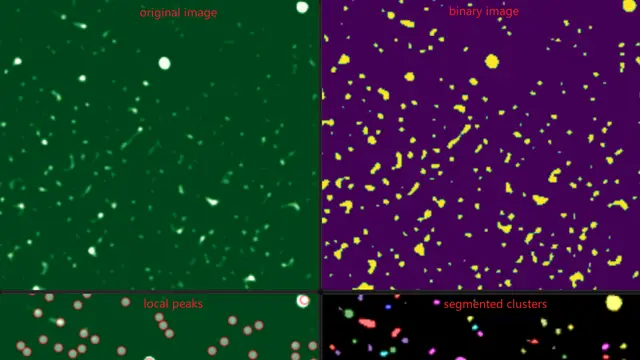
之前已经介绍过怎么用 watershed 分水岭算法来解决点簇状信号的分割问题,对于三维数据来说,思路是一样的,而且得益于我调用的函数能够支持高维数据的处理,所以稍作修改就能实现对三维成像数据的实例分割。
效果如下:
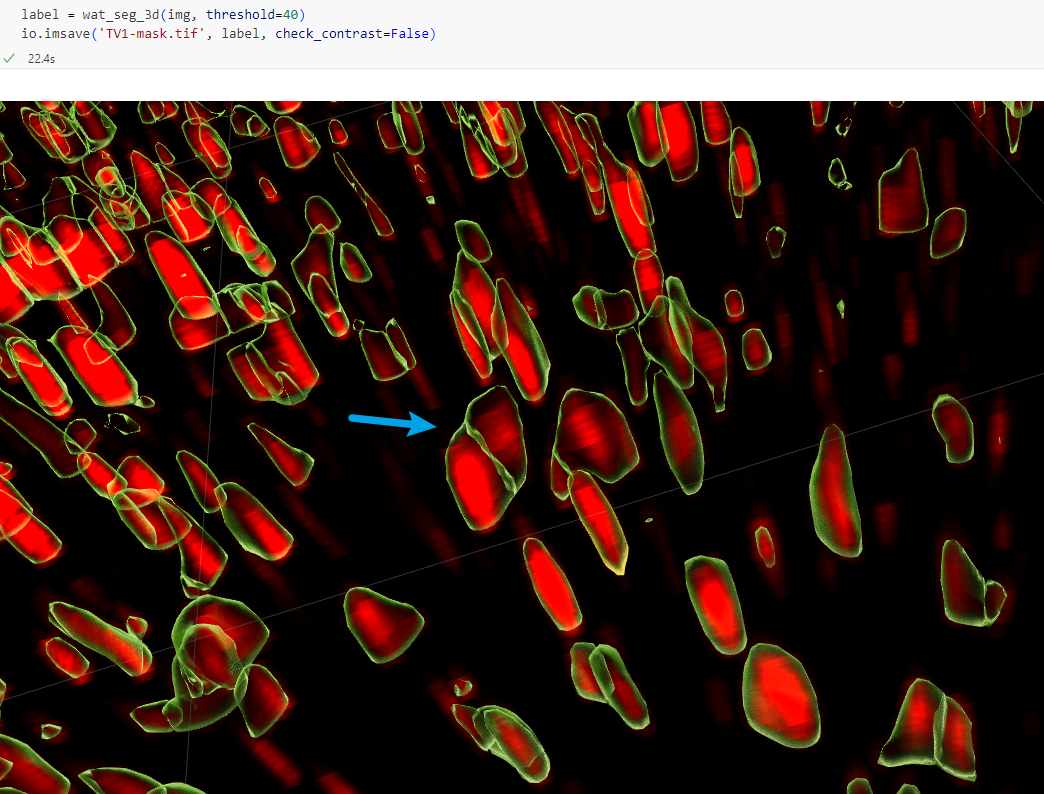
具体代码如下:
import matplotlib.pyplot as pltimport matplotlib as mplmpl.rcParams['font.family'] = 'DengXian'plt.rcParams['axes.unicode_minus'] = False
from skimage import ioimport numpy as npfrom scipy import ndimage as ndifrom skimage.segmentation import watershedfrom skimage.feature import peak_local_maxfrom skimage import filtersfrom skimage.color import label2rgb
def wat_seg_3d(volume, threshold, peak_min_distance=3): ''' volume: 三维图像 (NumPy array, typically Z, Y, X order, but depends on your data) peak_min_distance: 决定了搜索peak的范围,在每个维度上,例如 3 表示在 3x3x3 的邻域内 返回一张label图像,背景为0,目标已按region id 进行赋值, 且为uint16 '''
# 图像二值化,使用在二维分割或目视检查的自定义threshold binary = volume > threshold
# 距离变换 (distance_transform_edt works on N-dim) # It computes the Euclidean distance from non-zero (foreground) pixels to zero (background) pixels. distance = ndi.distance_transform_edt(binary)
# 准备标记点 (peak_local_max works on N-dim) # Finds local maxima in the original intensity volume as potential markers coords = peak_local_max(volume, min_distance=peak_min_distance, threshold_abs=threshold, # Use the determined threshold exclude_border=False) # Decide if peaks on borders should be considered
# Initialize markers array with zeros (undetermined) markers = np.zeros(shape=volume.shape, dtype=np.int32)
# 将局部极大值位置设置为前景标记点 # 我们从标签 2 开始标记前景(标签 1 保留给背景,标签 0 是未确定区域) # 使用 enumerate 为每个局部极大值赋予唯一的标签 # coords will be an array of shape (N, 3) for 3D, where N is the number of peaks for i, coord in enumerate(coords): # coord is a tuple/list of indices (z, y, x) for 3D # Need to use tuple indexing for N-dim arrays markers[tuple(coord)] = i + 2 # Labels start from 2, 3, 4...
# 确定“确定无疑的背景”区域,直接设定阈值 (np.where works on N-dim) inds = np.where(volume <= threshold) markers[inds] = 1 # 将确定背景区域设置为标签 1
# 应用分水岭算法 (watershed works on N-dim) # Use the negative distance map as the 'surface' for the watershed labels = watershed(-distance, markers)
# Output formatting: shift labels so background is 0 # The watershed background label is typically 1 if provided as a marker. # Subtracting 1 makes marker 1 -> label 0 (background), marker 2 -> label 1, etc. rlabel = labels - 1
# Ensure output type is uint16 rlabel = rlabel.astype('uint16')
return rlabel